Mixpanel Agent
Overview
Mixpanel Agent is an AI analyst built into Mixpanel. Ask it questions or give it tasks and the Agent interprets your intent and selects the right tools automatically. A single prompt can run an analysis, build a report, create a cohort, or walk you through a user’s session replays without you specifying each step.
Mixpanel Agent is currently in beta and free to use.
Core Capabilities
The Mixpanel Agent has access to a broad set of Mixpanel capabilities and selects tools automatically based on what you ask.
| Capability | What the Agent can do |
|---|---|
| Report Creation & Editing | Create new Insights, Funnels, Retention, and Flows reports from a description. Adjusts existing report metrics, filters, breakdowns, and time ranges. |
| Boards Creation & Editing | Create new Boards or use the Agent to edit an existing Board’s layout and content |
| Metrics | Define metrics in plain language and save them for reuse across your project |
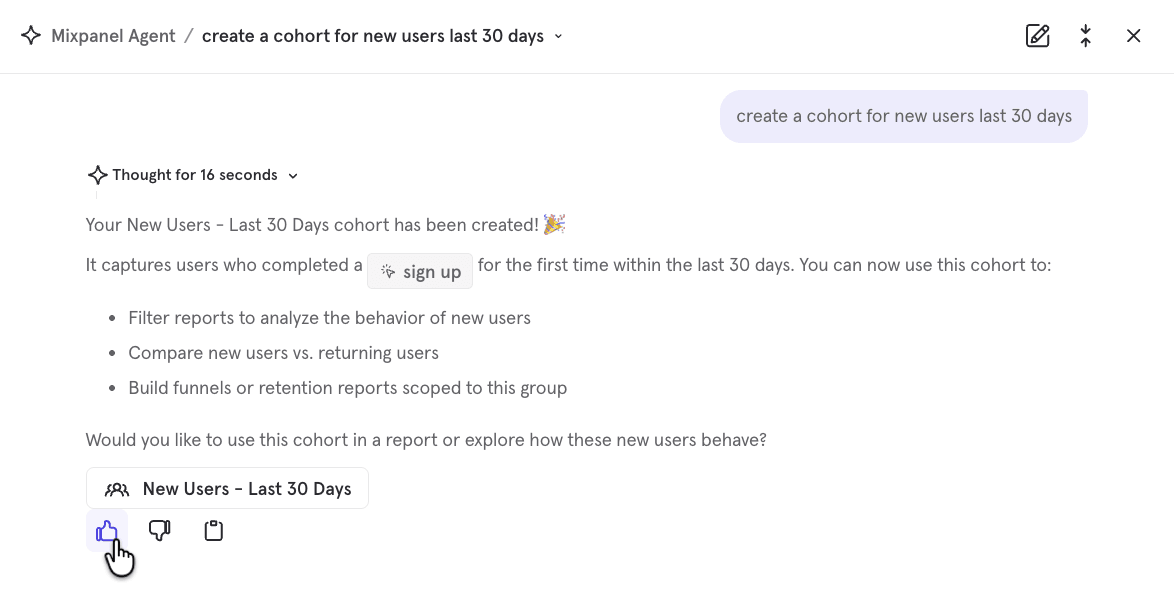
| Cohorts | Build behavioral cohorts from a description and save them for analysis or targeting |
| Search project data | Search across your project’s events, properties, saved reports, Boards, feature flags, and experiments to find what already exists before building something new |
| Analyze reports & Boards | Interpret, explain, and investigate any report or Board. Automatically picks up the context of whatever you currently have open, so you don’t need to describe your setup |
| Session replay analysis | From a prompt or existing playlist, Mixpanel curates relevant replays, analyzes them alongside your events data, summarizes findings for follow-up questions, and surfaces timestamps for key moments |
| Experiments & Feature Flags | Reference experiments and feature flags in any investigation, interpret experiment results in plain language, and create new experiments or flags through a conversational flow |
| Mixpanel Docs | Answer questions about how Mixpanel features work |
Working on an analysis? The Agent automatically picks up your current page as context. Ask it to explain a trend, dig into an anomaly, or modify what’s in front of you. No need to describe what you’re looking at first.
Access
Where you’ll find the Mixpanel Agent:
- Side navigation: Click Mixpanel Agent to open a full-page experience
- Contextual panel: Click New Chat or “Open in side view” to open the Agent in a side panel so you can bring the Agent with you as you navigate Mixpanel
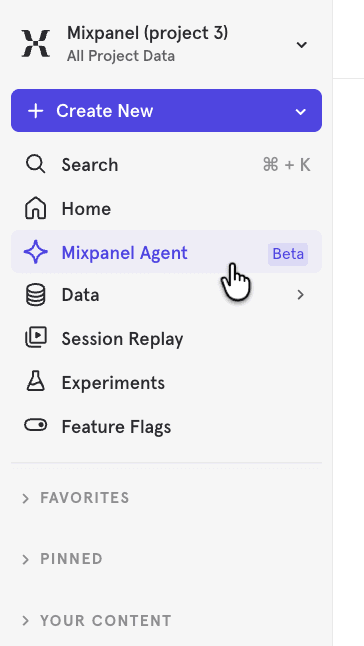
The Mixpanel Agent is coming to all customers soon. Keep your eye out for it in your projects!
Example Use Cases
Explore a direction
You have a theory or idea. The Mixpanel Agent helps you test it quickly.
Does our new onboarding flow actually improve activation?
I think users who invite a teammate in their first week retain better. Can you validate that?
Put your ideas into action
You’ve landed on a direction. Now ship the change and measure the impact.
Set up an experiment to test a simplified checkout against the current flow
Roll out the new pricing page to 10% of users behind a feature flag
Investigate what happened
Something moved in your metrics. The Agent helps you get a clear picture to get to the bottom of it.
Explain this spike in signups
Did anything unusual happen with our checkout flow
Get up to speed fast
You need context before a meeting or decision. The Agent searches what already exists in your project so you’re not starting from scratch.
Show me our top of funnel KPIs.
Summarize this analysis for me before my meeting
What tracking do we have on our messaging feature
Build your analysis
Build out boards, reports, metrics, and cohorts to share across your team for analysis.
Make a Board for our weekly growth review
Save our activation definition
Create a cohort of power users so we can target them in experiments
Understand your users
Dive deeper to understand what individual users or segments actually experienced.
Find sessions where users hit an error during checkout, walk me through what they did, and surface timestamps of key moments
This user churned after 3 days. Walk me through their sessions
Business Context
The Mixpanel Agent uses your project’s Business Context to give more relevant answers. The more context you provide, the better the Agent’s answers.
Verified Mode
Admins can control what data the Agent surfaces by enabling Verified Mode in Project Settings. When enabled, Mixpanel AI will only use Verified Data. Verified Data is events, metrics, behaviors, and cohorts that your team has explicitly reviewed and verified in Lexicon. This ensures AI responses are grounded in data your organization trusts.
When unverified data is excluded from a response, users are notified that additional relevant data exists but wasn’t included.
Security & Privacy
Your data stays within your existing access. Enabling the Agent doesn’t change any data or user permissions.
Your data is not used to train AI models. Queries are processed by a third-party AI provider to generate responses, but customer data is not used for model training. Additionally, Mixpanel’s contracts with third-parties prohibit them from using your data to train or improve their models.
Disabling Mixpanel AI. Mixpanel AI features can be disabled at any time from Organization settings. This removes access for all users.
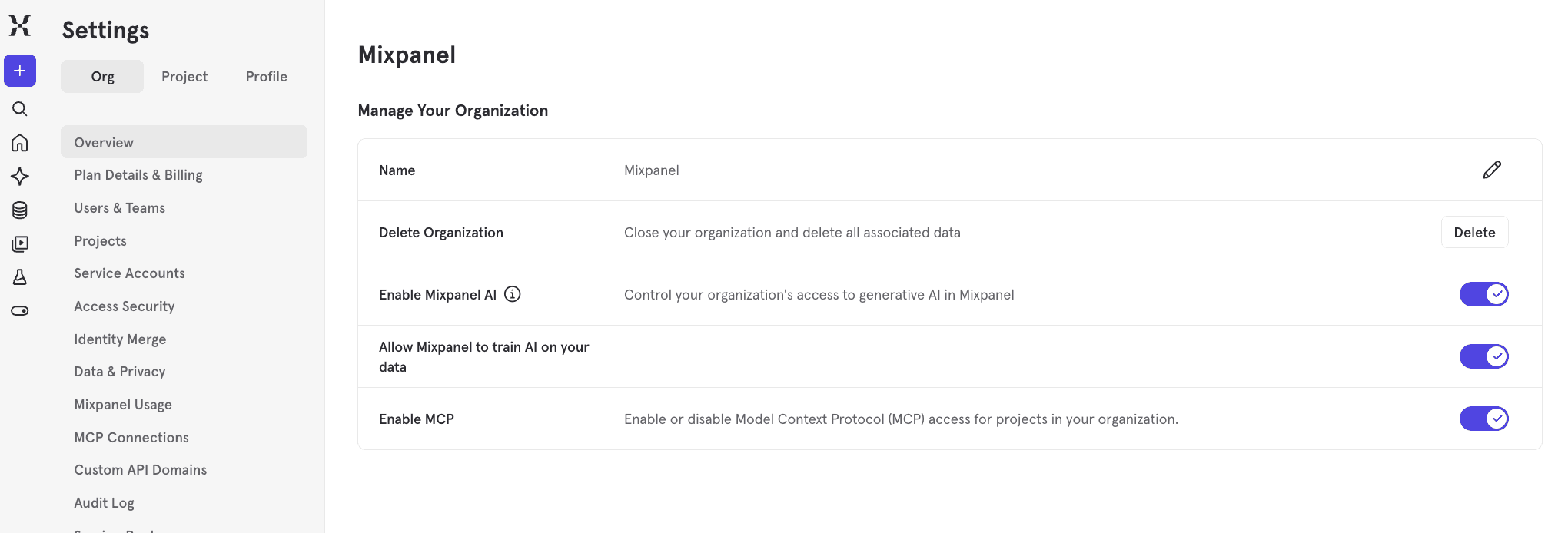
AI features are disabled by default for customers that have enrolled in EU or India Data Residency, but can be enabled by your Mixpanel admin. AI features are disabled for signed Business Associate Addenda (BAAs) with Mixpanel (and cannot be enabled).
For more details:
FAQ
1. Is the Agent free?
Mixpanel Agent is free to use during beta.
2. What AI models does it use?
The Mixpanel Agent is powered by Claude.
3. How do I share feedback or request new capabilities?
Use the feedback buttons inside the Agent experience to share what’s working, what’s missing, or what you’d like to see. We’re actively building. Your feedback directly shapes the roadmap.
4. What happened to Spark?
Mixpanel Agent is the next evolution of Spark. If you still have access to Spark, you’ll get Mixpanel Agent soon as we complete the rollout to all customers.
Was this page useful?